The New ChatGPT Explained: Chat vs Work vs Codex (What You Need to Know)

ChatGPT now includes Chat, Work, and Codex across its newer product experience. Here's the practical difference, what GPT-5.6's Sol, Terra, and Luna tiers mean, and which details OpenAI has confirmed.
ChatGPT Work vs Codex vs Chat: What OpenAI Has Confirmed
ChatGPT has changed from a simple chat tool into a workspace with different modes for different jobs.
That is why people are asking: is ChatGPT Work the same as Codex now?
Short answer: no.
Chat helps you think. ChatGPT Work helps you create business deliverables. Codex helps you build and review code.
This guide breaks down the difference so you can choose the right mode, avoid confusion, and build better Human + AI workflows with your team.
Watch the full breakdown here, then use the guide below as a quick reference.
The simple version
Chat, Work, and Codex now live closer together, but they solve different problems.
| Mode | Best for | Output |
|---|---|---|
| Chat | Quick thinking, brainstorming, summaries, edits, explanations | A fast answer or conversation |
| Work | Longer, multi-step work, research, files, tools, docs, spreadsheets, and slides | A finished deliverable |
| Codex | Software work, repositories, file edits, tests, pull requests | Code changes with diffs and validation |
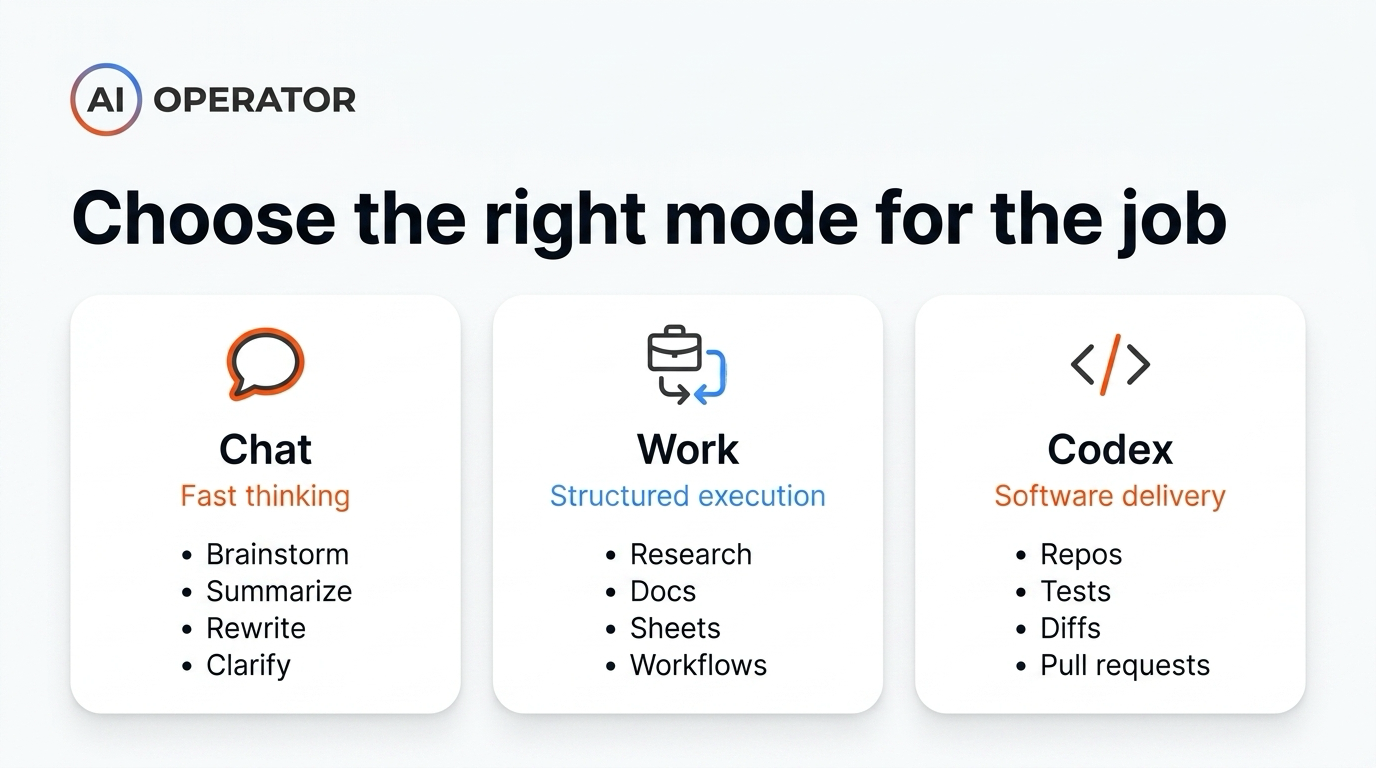
The easiest way to choose:
- Use Chat when you are still figuring out what you want.
- Use Work when you know the outcome and want an agent to complete it.
- Use Codex when the task touches a repo, a test suite, or a pull request.
Chat: best for fast thinking
Chat is the mode most of us have used for years.
You ask a question, test an idea, rewrite a sentence, summarize a document, or brainstorm options. It is fast, conversational, and useful when the work is still unclear.
Use Chat for:
- Brainstorming ideas
- Summarizing notes and documents
- Rewriting copy or tightening wording
- Checking logic and comparing options
- Asking quick questions before turning the work into a structured task
Chat has not really changed. It is still the fastest place to think through something before turning it into a structured task.
Work: best for structured business outcomes
Work is different.
Work is not just a chat window. It is built for longer, multi-step work and finished deliverables. You give it an outcome, the context it needs, and access to the right tools. Then it works through the task and produces a deliverable.
Use Work for:
- Research reports and analysis
- Spreadsheets, docs, decks, and slides
- SOPs and recurring workflows
- Multi-step deliverables that need context from files or tools
- Business outputs where the end result is already clear
A good Work brief sounds less like:
Can you help me think through this?
And more like:
Create a competitor research report using these sources, format it as a table, include recommendations, and prepare it for my team.
That distinction matters. Chat helps you think. Work helps you execute.
Codex: best for software work
Codex is built for software work.
Codex is the coding agent for writing, reviewing, and shipping code. In the desktop app, it includes coding-focused workflows such as diffs, pull request review, repository work, and computer use. That makes it different from Work, even if both can feel agentic.
Use Codex for:
- Editing code and reading repositories
- Running commands and debugging errors
- Writing or updating tests
- Reviewing diffs before changes ship
- Preparing pull requests and technical handoffs
The rule that holds up:
If the job ends in a repo, test suite, or pull request, start in Codex.
Work can help with technical planning, documentation, or research. Codex is the better place when the output is code.
Chat vs Work vs Codex workflow
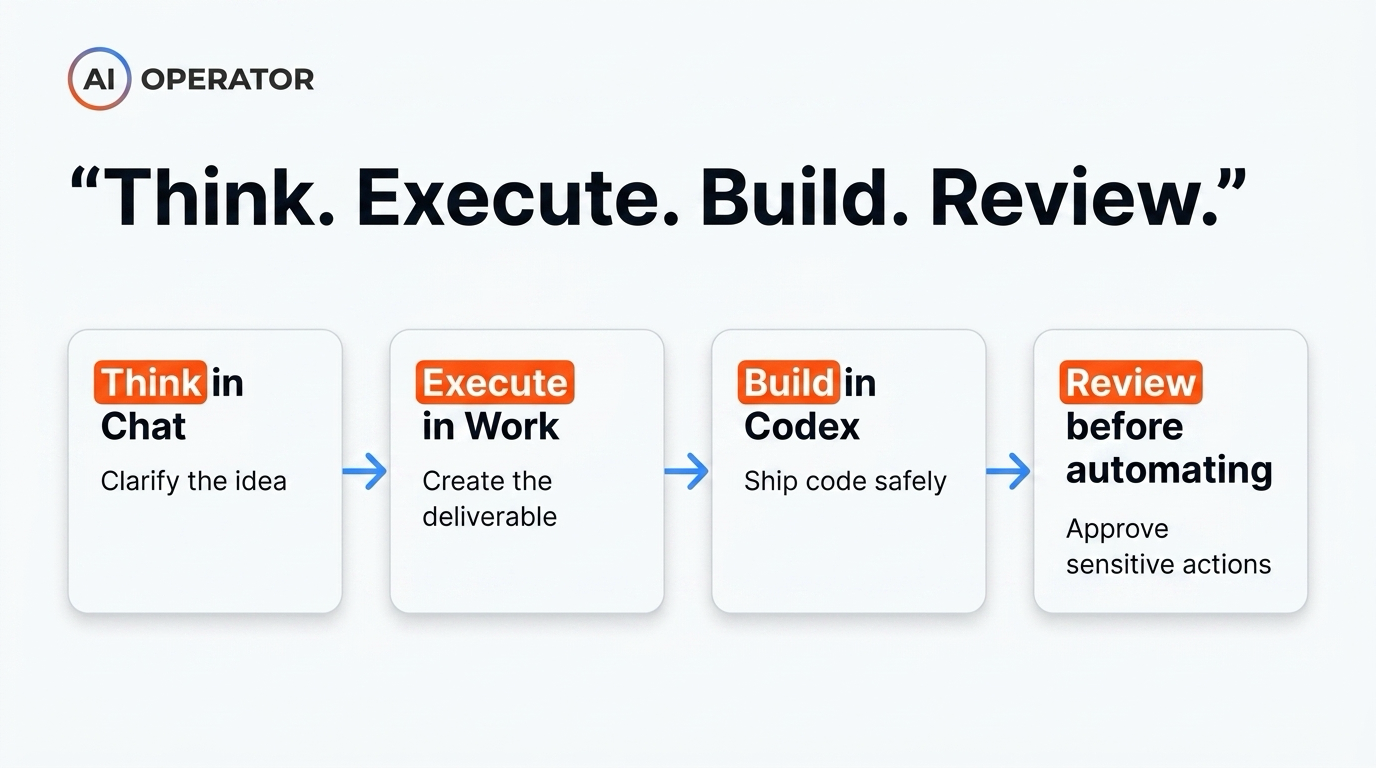
Here is the practical workflow I would use:
- Start in Chat to clarify the idea
- Ask questions.
- Explore options.
- Decide what the final outcome should be.
- Move to Work when the outcome is clear
- Write the brief.
- Connect only the tools it needs.
- Define what “done” looks like.
- Use Codex if the task becomes code
- Open the repo.
- Let it inspect the files.
- Review the diff.
- Run tests before anything ships.
- Review before you trust automation
- Require approval for sensitive actions.
- Check the output.
- Run the workflow again before making it recurring.
This gives you a clean decision path:
Think in Chat → Execute in Work → Build in Codex → Review before automating.
The model names, explained simply
Models now ship in three GPT-5.6 tiers:
- Sol
- Flagship model
- Best for high-stakes reasoning
- Use it for strategy, complex analysis, final drafts, and anything that ships
- Terra
- Balanced model
- Good mix of speed, cost, and quality
- Use it for normal business workflows, drafts, research, and repeatable tasks
- Luna
- Fastest and cheapest model
- Best for lightweight work
- Use it for simple summaries, quick formatting, first-pass drafts, and low-risk tasks
GPT-5.5 Instant remains the default for fast, everyday responses in standard ChatGPT.
Model selection workflow
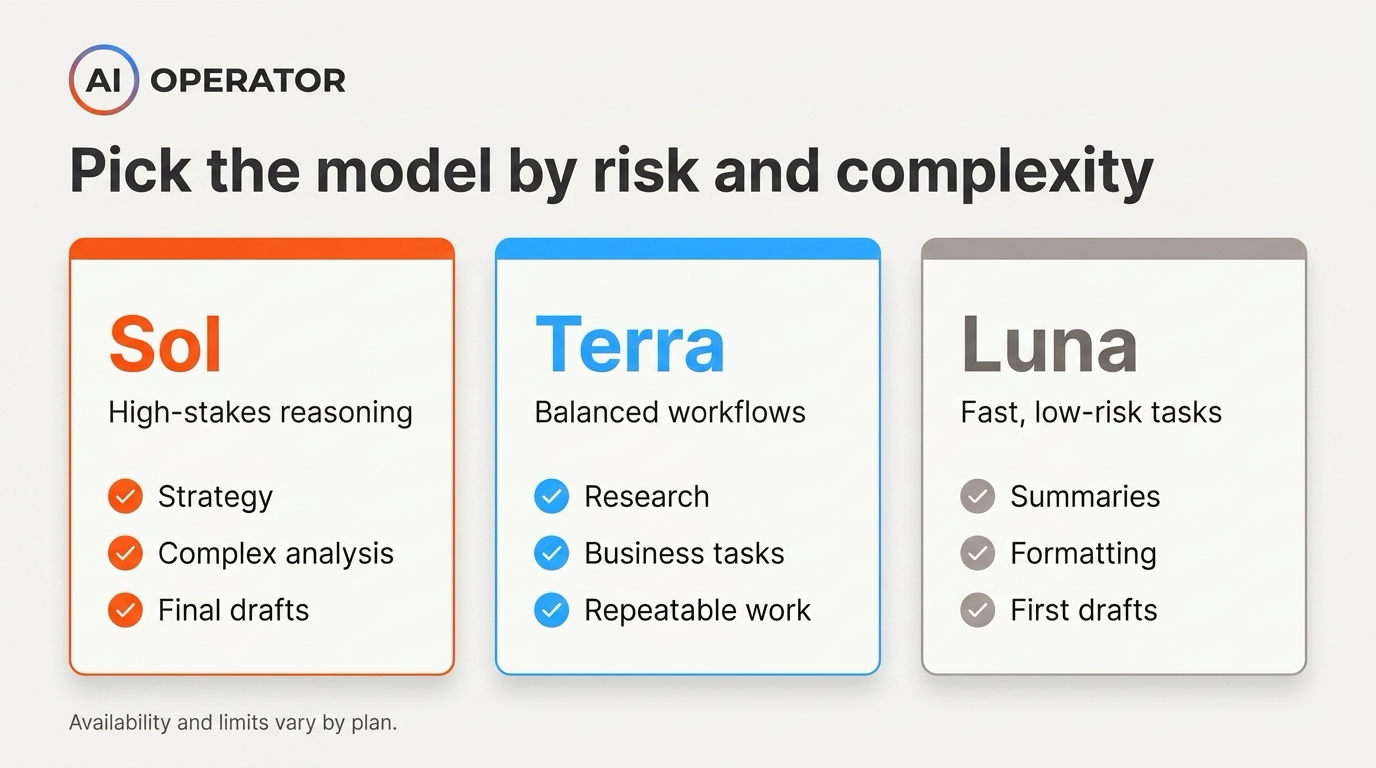
Use this process instead of obsessing over every model name:
- Is the task high-risk or client-facing?
- Use Sol.
- Is the task a normal business workflow?
- Use Terra.
- Is the task fast, simple, or low-risk?
- Use Luna.
- Will the output be published or sent externally?
- Increase the effort level.
- Review the final version manually.
- Will the task repeat often?
- Save the model choice in your workflow notes so your team can reuse it.
The models will keep changing. Your process matters more than the names.
Effort levels: what Medium, High, and Extra High mean
In standard ChatGPT, GPT-5.6 Sol powers eligible reasoning options. Terra and Luna are not selectable in standard ChatGPT conversations.
In Work and Codex, model availability depends on your plan. Work offers Sol, Terra, and Luna for Plus, Pro, Business, and Enterprise. Codex offers Terra for Free and Go, and Sol, Terra, and Luna for Plus, Pro, Business, and Enterprise.
A practical setup:
- Quick internal draft: Terra + Medium
- Important client-facing draft: Sol + High
- Complex reasoning or technical work: Sol + Extra High
- Low-risk formatting or cleanup: Luna + Medium
Pick one setting for quick work and one setting for anything that ships. Write it down somewhere your team can see it.
The desktop app includes Codex
The Codex app has merged into the new ChatGPT desktop app for macOS and Windows. Codex is not going away; it now sits inside the desktop app as its own dedicated coding view alongside Chat and Work.
Existing Codex users can update as usual. Codex chats and projects should remain after the update, and Codex can still be kept as the default view.
Before you let anything run unattended on real data, go into Work and set the approval level yourself.
Use stricter approvals for anything that touches:
- Customers
- Production systems
- Financial data
- Private files
- Public publishing
- External communications
Two minutes of setup now can save you a bad afternoon later.
Two details to check before rollout
1. Availability differs by plan and surface
Work is available to all plans on macOS and Windows desktop, and to Plus, Pro, Business, Enterprise, and Edu on web and mobile. Standard ChatGPT conversations do not let you select Terra or Luna directly.
Before building a team workflow, check the model picker and plan limits in the account you will actually use.
2. Usage and limits can change
Model availability and limits change over time. Treat pricing, usage, and model access as moving parts.
Before publishing training material or client-facing guidance, re-check OpenAI’s pricing page and help center.
What each ChatGPT plan includes
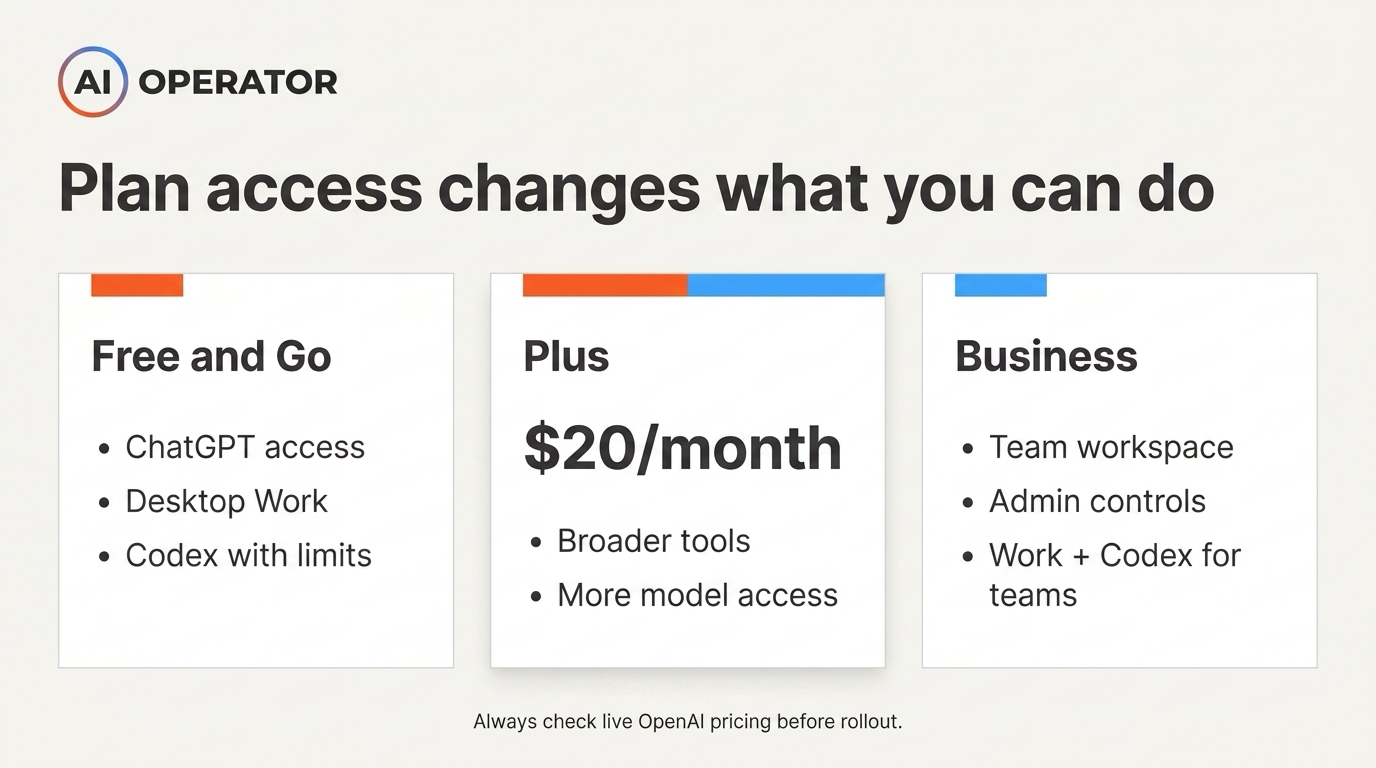
Chat, Work, and Codex are part of the broader ChatGPT product experience, but exact access depends on plan, device, and usage limits. Use the live OpenAI pricing pages before making a purchase decision.
Here is the simple pricing picture:
- Free and Go accounts
- ChatGPT access
- Work available on macOS and Windows desktop
- Codex included across ChatGPT plans, with usage limits by plan
- GPT-5.6 Terra available in Codex, with Free and Go usage limits
- Plus
- $20/month
- Best starting point for solo operators and small teams
- Broader model and tool access than Free
- GPT-5.6 Sol, Terra, and Luna available in Work and Codex
- Business
- Paid team plan with business and admin features
- Work, Codex, and Sites listed on OpenAI’s business pricing page
- Useful for teams that need workspace controls, governance, and permissions
Do not assume every plan has the same model picker, usage limits, or surfaces. Check the live OpenAI pricing and help pages before making a purchase decision.
What I would actually do this week
Pick one workflow you already do by hand on a recurring basis.
Then map it like this:
- Outcome
- What should exist when the task is done?
- Inputs
- What files, apps, notes, links, or examples does it need?
- Access
- Which tools should Work be allowed to use?
- Approval
- What should require your review before it happens?
- Quality check
- How will you know if the output is good enough?
- Repeatability
- Can this become a template, project, or recurring workflow?
Run it once with approval required on every step. Then run it again.
Compare the two runs:
- How much time did it save?
- Where did it get stuck?
- What did it misunderstand?
- What needs to be added to the brief?
- Is it safe to repeat?
That is the real test.
The ADOPT Method™ for using ChatGPT Work
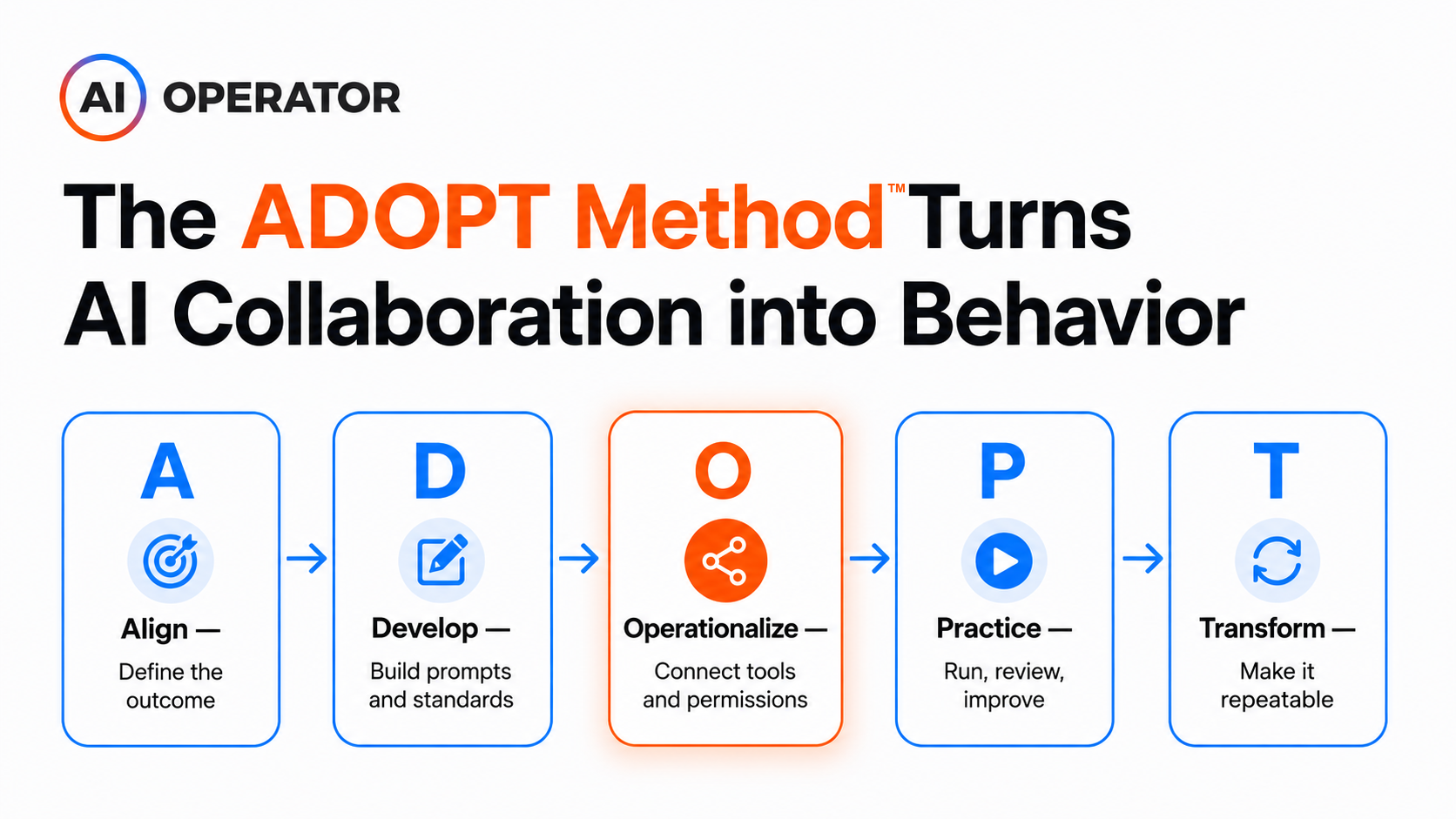
At AI Operator, we use the ADOPT Method™ to turn AI tools into repeatable team workflows. It is the same operating framework behind our AI training program:
- Align
- Define the business outcome.
- Decide what the workflow should achieve.
- Develop
- Build the prompt, template, inputs, and quality standards.
- Operationalize
- Put the workflow inside Work with the right tools and permissions.
- Practice
- Run it with approvals.
- Review mistakes.
- Improve the instructions.
- Transform
- Turn the workflow into something repeatable, reliable, and eventually automated.
That is how you move from playing with AI tools to building actual operating leverage. If your team needs help applying this, explore our ChatGPT training and implementation work.
Final takeaway
Chat, Work, and Codex now live inside the same broader ecosystem, but they are not the same thing.
- Chat helps you think.
- Work helps you execute.
- Codex helps you build.
If you want your team to use ChatGPT for real workflows — not just random prompts — book a strategy call with AI Operator. We can help you train your team, set up the right workflows, and turn ChatGPT into a practical operating system for daily work.
Written by
Tim CakirTim Cakir is the founder of AI Operator and creator of the ADOPT Method™. He helps organizations turn AI curiosity into operational results — training leaders and teams to build durable Human + AI ways of working.
View full profile →More Articles

AI Won't Steal Jobs, But You'll Need Training For Roles That Don't Exist Yet: What the Morgan Stanley Report Gets Right (And Dangerously Wrong)
The Morgan Stanley report says AI won't steal jobs, and they're right. But 'jobs won't disappear' is the wrong reassurance for decision-makers. The real question is whether your organization will be creating the new AI-adjacent roles or scrambling to fill them.
Claude Skills vs Plugins: What They Actually Are and Which One Your Team Needs
A skill is a file of instructions. A plugin is a package of capabilities. Here's what each one actually does, how to build or install one, and which one your team needs.

The 5 Common Mistakes Enterprises Make When Choosing AI Tools (And How to Avoid Them)
Discover the 5 common mistakes enterprises make when choosing AI tools and the strategy-first decision sequence that leads to real ROI over wasted budgets.